AI Whiteboard for STEM Problem Solving: Guide
7 min read
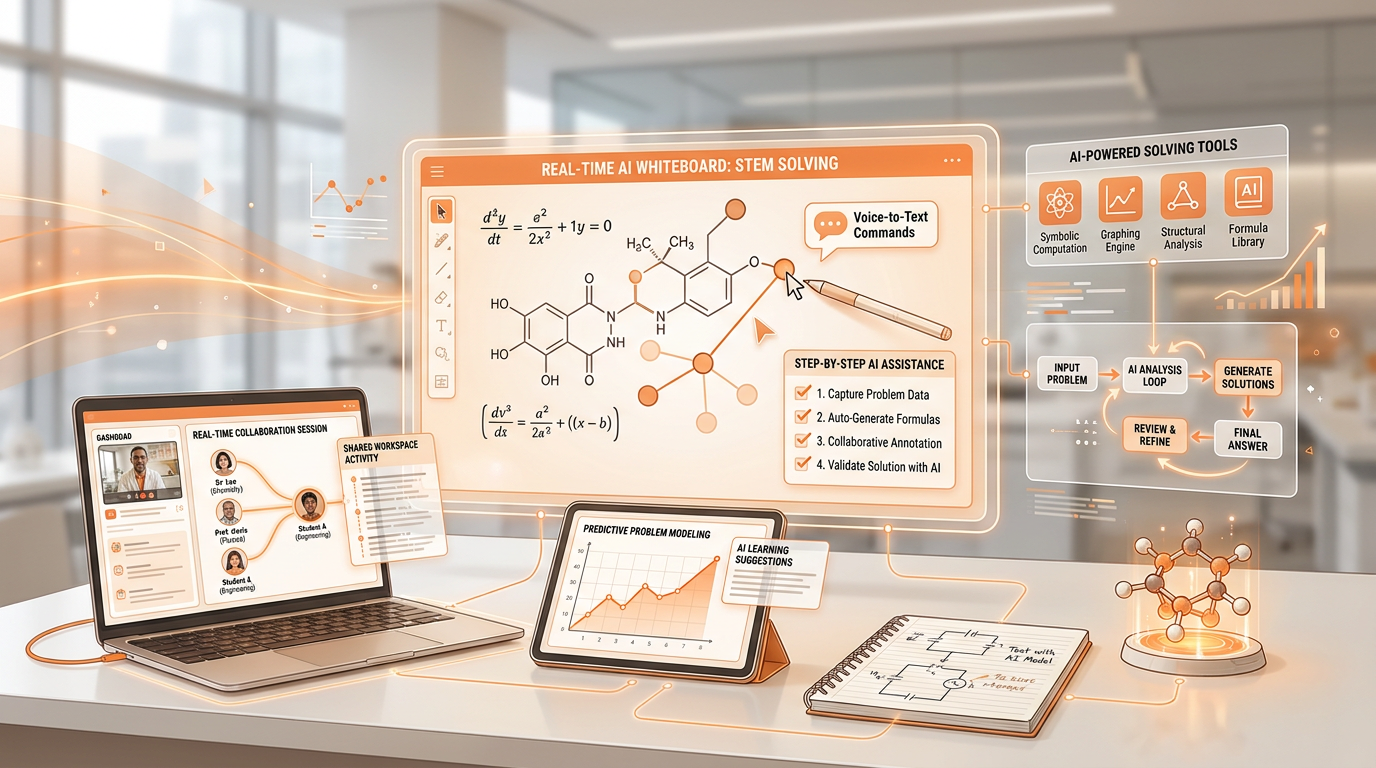
Real-Time AI Whiteboard tutoring is a dynamic, multimodal computational loop that pairs freehand digital ink input with advanced symbolic math engines and vision models like GPT-4o. Rather than functioning as a static answer key, this setup interprets live drawings, handwritten equations, and complex diagrams as they appear on the canvas.
- The Core Workflow: Users draw or upload raw math, physics schematics, or organic chemistry structures, apply structured Socratic prompt templates, and request step-by-step derivation instead of final solutions.
- Immediate Cognitive Gains: This process reduces working memory overload, pinpoints algebra or sign errors mid-proof before they cascade, and visually decomposes multi-tier problems into manageable conceptual chunks.
- System Architecture: Modern platforms merge real-time Optical Character Recognition (OCR) with symbolic computation engines to evaluate the logical validity of every stroke.
By moving beyond flat text boxes and screenshot scanners, a real-time AI whiteboard establishes an active workspace where complex derivations are analyzed, criticized, and corrected line by line.
Setting Up Multimodal Canvas Inputs
Configuring a digital canvas for live STEM tutoring requires precise calibration of stylus inputs, optical vision layers, and AI feedback thresholds. Begin by connecting an active digital stylus to an infinite canvas application that supports native ink-to-LaTeX conversion, ensuring that handwritten symbols, matrices, and radical signs translate instantly into clean computational inputs. For physical diagrams, optical vision inputs convert hand-drawn schematics into readable vector objects that the underlying system can parse for vector components, nodal points, or functional groups.
Next, calibrate the real-time feedback thresholds within your system settings so the AI professor pauses at each logical step rather than rendering full solutions instantly. If the feedback loop runs too fast, the engine will dump complete final answers, destroying the pedagogical value of the session. Set the processing interval to trigger evaluation only when you pause your pen or explicitly request an assessment. This mechanical adjustment forces the system to act as an active collaborator, observing your workflow and waiting for your next logical proposition before offering validation or critique.
Socratic Prompts for Interactive Derivations
Guiding an AI canvas to teach through inquiry requires precise prompt engineering that overrides its default tendency to output raw final answers. You must establish system-level instructions that explicitly forbid shortcuts and mandate a step-by-step Socratic dialogue.
- Anti-Answer Directives: Program the prompt framework to respond to any equation input with a targeted, open-ended question rather than a resolved value. Instruct the AI to check only the current line of work.
- Visual Command Structures: Write explicit visual prompts requesting the AI to draw, color-code, and annotate missing variables directly onto the shared whiteboard canvas using distinct ink layers.
- Gatekeeping Loops: Incorporate structured confirmation protocols that require you to explicitly check off or rewrite a verified intermediate step before the system unlocks the next phase of the derivation.
Deploying these prompt parameters turns the blank canvas into a disciplined seminar room. The AI tracks your logical flow, highlights anomalous transitions, and prompts you to justify your algebraic maneuvers before allowing you to proceed deeper into the proof.
Mid-Derivation Error Debugging Workflow
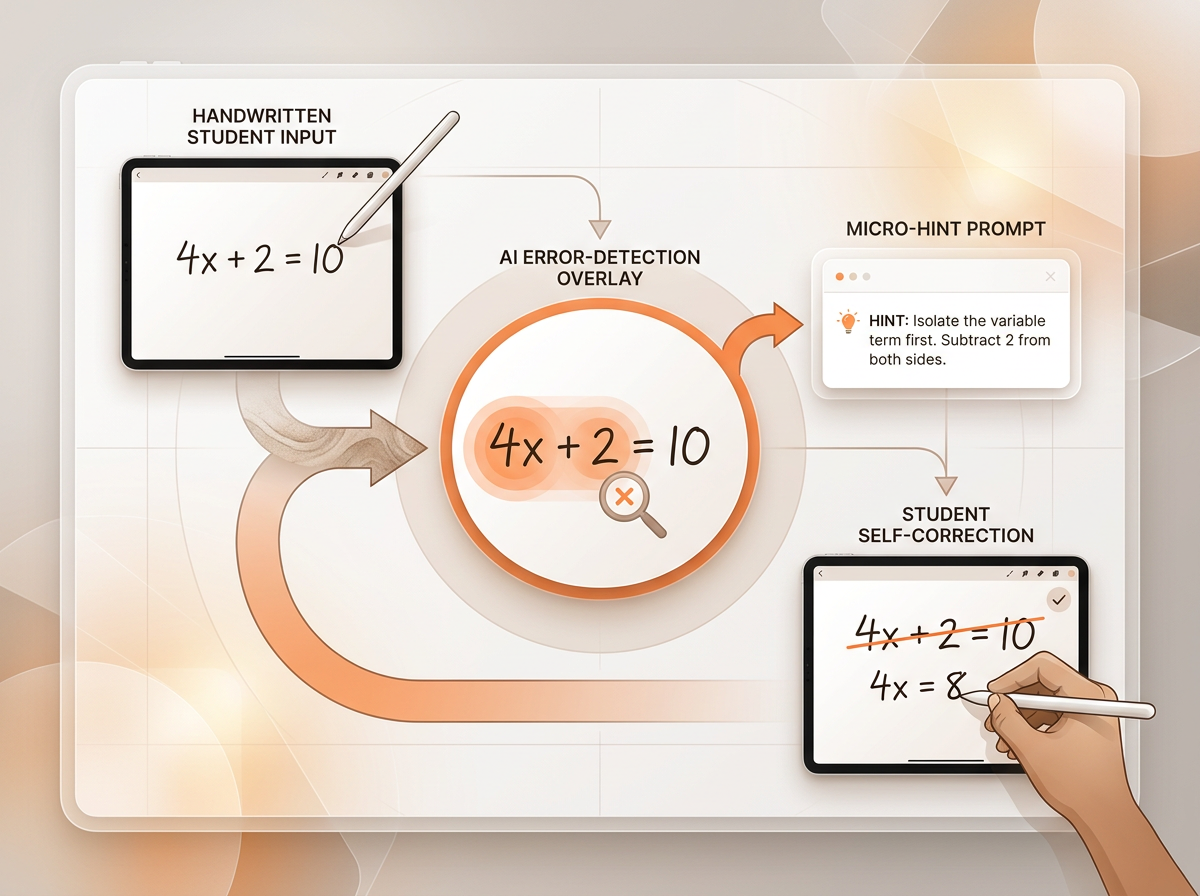
Mid-derivation error debugging focuses on isolating exact lines in multi-step proofs where sign errors, incorrect factoring, or misplaced exponents occur, without prematurely resolving the remainder of the problem. When a complex calculus proof or physics derivation stalls, avoid erasing the work; instead, circle the specific line containing the breakdown with your stylus. The underlying vision model scans the isolated stroke and compares the hand-written step against verified symbolic math rules.
Visual overlay highlighting then color-codes the discrepancy—marking correct transformations in green and erroneous algebraic steps in red. Rather than fixing the mistake for you, the AI canvas generates micro-scaffolding hints directly adjacent to the error. These hints point toward the relevant mathematical identity or distributive law without giving away the fix. By forcing yourself to erase and rewrite only the flagged segment, you build stronger pattern-recognition skills and eliminate recurring calculation habits across long-form problem sets.
Physics Solving: Free-Body Diagram Annotations

Physics problem-solving on a real-time AI whiteboard transforms static textbook illustrations into interactive vector models that instantly evaluate mechanical forces and boundary conditions. When you sketch a block on an inclined plane or a multi-pulley system, the AI canvas ingests the raw drawing to isolate vector components, normal forces, friction coefficients, and coordinate systems automatically.
- Vector Decomposition: The system analyzes hand-drawn force arrows, converts them into component equations along orthogonal axes, and displays the resulting trigonometric identities directly on the canvas.
- Dynamic Equation Derivation: As you sketch or write Newton's second law or rotational mechanics formulas, the whiteboard verifies equilibrium states and flags unbalanced torques in real time.
- Boundary Condition Testing: You can test physical hypotheses visually by using your stylus to increase the incline angle or decrease the friction coefficient, prompting the AI to update the resulting acceleration vectors live.
This iterative visual modeling eliminates the guesswork from classical mechanics and thermodynamics, letting you see how altering a single physical parameter ripples through an entire system of equations.
Calculus Solvers: Visual Proofs & Integrals
Step-by-step calculus proofs demand rigorous verification of limits, derivatives, and infinite series without falling victim to algebraic drift or incorrect integration strategies.
| Calculus Workflow | Whiteboard Input Method | AI Canvas Verification Mechanism |
|---|---|---|
| Differential Step Verification | Handwritten chain rule or implicit differentiation steps | OCR translates ink to LaTeX; system checks inner/outer derivative factors |
| Integration by Parts | Drawn $u$, $dv$, $du$, and $v$ assignments | Symbolic engine validates the $\int u , dv = uv - \int v , du$ formula application |
| 3D Surface Rotations | Freehand cross-section curves and axis sketches | Vision model renders real-time volume solids and verifies shell/washer bounds |
Executing visual proofs for complex definite integrals becomes intuitive when the canvas renders real-time Riemann sum animations directly beneath your handwritten limits. As you partition the interval, the AI dynamically updates the approximating rectangles or trapezoids to match your chosen $n$-value. Combining optical character recognition with symbolic computation engines ensures that every algebraic substitution is checked against fundamental calculus theorems before you move to the final evaluation stage.
Organic Chemistry: Dynamic Reaction Mechanisms
Organic chemistry reaction mechanisms require precise spatial tracking of electron movement, stereocenters, and transition states across multi-step synthetic pathways. Drawing a skeletal structure on the canvas triggers instant optical recognition of functional groups, heteroatoms, and double bonds. Once the starting material is recognized, you can draw curved electron-pushing arrows with your stylus to indicate nucleophilic attacks, proton transfers, or leaving-group departures.
The AI whiteboard tracks these arrows step-by-step, validating whether the tail originates from a lone pair or a $\pi$-bond and whether the head terminates at an appropriate electrophilic center or forms a new bond. When navigating complex additions or eliminations, you can prompt the AI canvas to render intermediate carbocation structures or transition states dynamically. The system highlights regiochemistry and stereochemistry rules—such as Markovnikov orientation or anti-periplanar geometry requirements—directly on your reaction map, ensuring your synthetic logic holds up to rigorous mechanistic scrutiny.
Optimizing Pacing & Live Clarification Interruptions
Managing the cognitive pace of a complex STEM session requires balancing active whiteboard drawing with real-time audio or textual interruptions when a derivation becomes opaque. Advanced live tutoring frameworks, such as Professo's real-time professor model, allow you to interrupt the AI's explanation the exact moment an algebraic leap or conceptual step is unclear. Instead of sifting through a monolithic block of generated text, you can request slower step decomposition, alternative explanations, or extra visual sub-diagrams directly on the canvas.
This dynamic pacing prevents cognitive overload during dense multi-variable calculus or advanced quantum mechanics proofs. To maximize long-term retention, bookmark visual canvas snapshots at the end of each session to build a personalized repository of solved problems for active retrieval practice. Reviewing these annotated whiteboard files days later reinforces the neural pathways established during the live interactive debugging loop.
FAQ
- Can an AI whiteboard read handwritten STEM equations in real time? Yes, modern AI whiteboards use integrated optical character recognition and symbolic math engines to parse handwritten ink, matrices, and radical signs instantly as you write them on the canvas.
- How do I get an AI whiteboard to act like a Socratic tutor instead of just giving the answer? You must configure your system prompts to explicitly forbid raw answer dumps and instruct the AI to respond to any equation input with targeted, open-ended questions about the current line of work.
- How does an AI whiteboard handle step-by-step physics diagramming? An AI whiteboard ingests raw force diagrams to automatically isolate vector components, calculate trigonometric identities, and update normal forces or acceleration values as you alter boundary conditions.
- How can I debug organic chemistry reaction mechanisms using an AI canvas? You can draw skeletal structures and curved electron-pushing arrows on the canvas, allowing the AI to track nucleophilic attacks, validate transition states, and highlight regiochemistry rules step-by-step.
- Does AI whiteboard tutoring support multi-step calculus integration proofs? Yes, it combines OCR with symbolic computation engines to verify differential steps, validate integration-by-parts formulas, and render real-time Riemann sum animations for definite integrals.
Mastering STEM through Interactive AI Canvases
Navigating complex physics derivations, multi-tier calculus proofs, and intricate organic chemistry mechanisms no longer requires relying on static answer keys or passive video lectures. By pairing real-time ink OCR with Socratic prompting loops and visual error debugging, an interactive AI whiteboard transforms abstract theoretical concepts into a tangible, collaborative workshop. This methodology ensures you understand the underlying logic of every calculation rather than simply memorizing the final result. Start Learning Today